

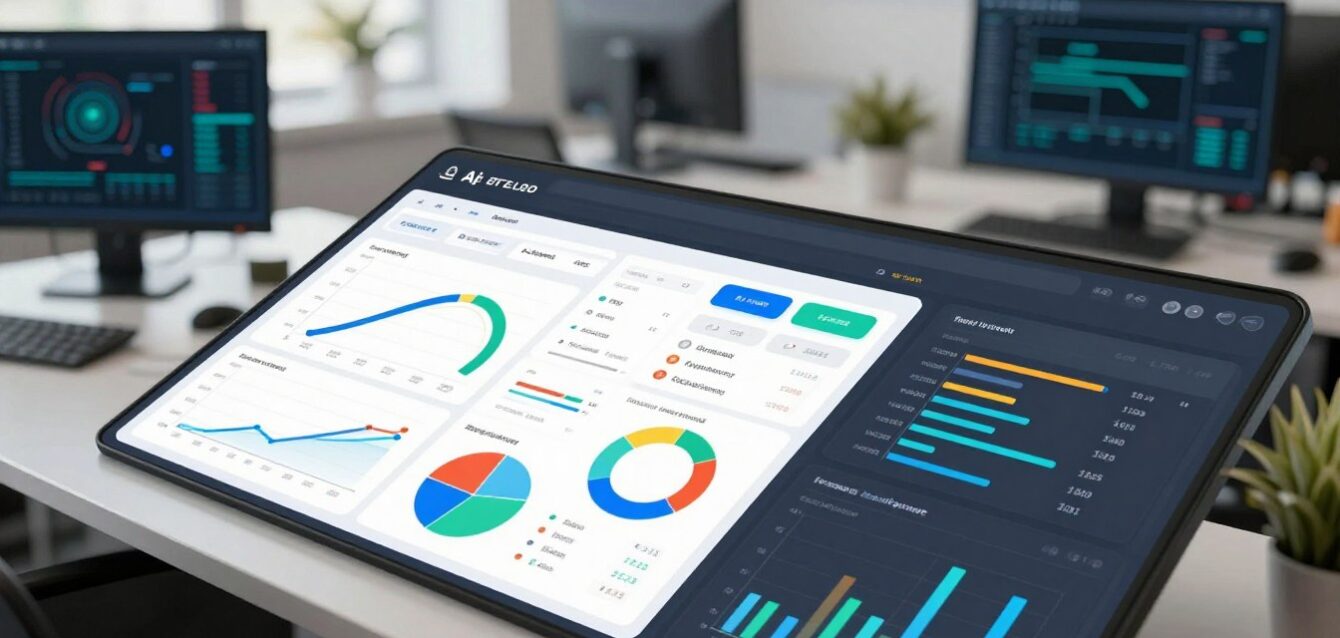
Did you know that analysts spend up to 80% of their time just finding and preparing information, not analyzing it? This bottleneck cripples decision-making. Modern data visualization breaks this logjam, turning raw, complex datasets into clear, interactive stories that drive strategic action.
Gone are the days of static, one-dimensional charts. Today’s AI-powered platforms have evolved into dynamic, interactive dashboards. They don’t just show you what happened; they use predictive analytics to forecast trends and highlight hidden patterns, offering a real-time window into your operations.
Choosing the right platform is a strategic decision. The right tool doesn’t just present insights—it integrates AI to surface actionable intelligence. This synergy between AI’s computational power and human-centric design transforms raw information into a strategic asset.
This transformation empowers businesses to move from reactive reporting to proactive strategy. The goal is to see not only what is, but what could be.
Key Takeaways
- Modern data visualization is a strategic asset, not just a reporting tool.
- AI-driven platforms have evolved from static charts to interactive, predictive dashboards.
- The right tool transforms raw data into clear, actionable intelligence.
- Success depends on a synergy between AI’s power and human-centric design.
- Effective visualization turns complex information into a strategic advantage.
1. Why AI-Powered Data Visualization is a Game-Changer
The transition from static reporting to intelligent, interactive analytics represents more than a technological upgrade—it’s a fundamental shift in organizational intelligence. Where traditional business intelligence offered rear-view mirror insights, AI-powered platforms provide a forward-looking, predictive lens. This evolution transforms raw information into a strategic asset that anticipates market shifts, customer behaviors, and operational inefficiencies before they impact the bottom line.
From Raw Data to Actionable Intelligence
Traditional data analysis often stops at describing what happened. AI-powered platforms evolve this process, transforming raw, unstructured information into predictive foresight. Machine learning algorithms don’t just process numbers—they identify complex patterns, correlations, and anomalies that human analysts might overlook.
This transformation occurs through three key mechanisms:
- Pattern Recognition: AI algorithms detect subtle correlations across disparate data sets that human analysts might miss.
- Predictive Modeling: Systems forecast trends and outcomes using historical patterns and real-time inputs.
- Automated Insight Generation: Instead of analysts hunting for patterns, the system surfaces key findings automatically.
This evolution from descriptive (“what happened”) to predictive (“what will happen”) and prescriptive (“what should we do”) analysis represents a fundamental shift. Organizations no longer need to wait for quarterly reports to spot trends—they can anticipate market movements and customer needs with unprecedented accuracy.
Why Traditional Charts Are No Longer Enough for AI Insights
Static charts and basic dashboards struggle with today’s data complexity. Legacy tools were designed for structured, historical data sets—not the dynamic, high-velocity, multi-format information streams that define modern business.
Consider these limitations of traditional approaches:
- Scale: Legacy systems choke on the volume and velocity of modern data streams.
- Real-time Processing: Static reports can’t handle streaming data from IoT devices, social media, or transactional systems.
- Complex Relationships: Simple charts fail to reveal multi-dimensional relationships in complex data sets.
AI-powered visualization tools overcome these limitations by processing information in real-time, automatically highlighting anomalies, and surfacing relationships that would remain hidden in traditional systems.
The Symbiosis of AI and Human-Centric Design
The most effective visualization platforms create a synergistic partnership between artificial and human intelligence. The AI handles the computational heavy lifting—processing millions of data points to identify patterns—while human analysts focus on strategic interpretation and contextual decision-making.
This partnership delivers:
- Automated Anomaly Detection: Systems continuously monitor data streams, alerting teams to deviations that signal opportunities or risks.
- Natural Language Queries: Users ask questions in plain English like “Show me sales trends by region,” and the system generates appropriate visualizations.
- Automated Insight Generation: The platform highlights significant correlations and outliers without manual exploration.
This human-AI collaboration creates a competitive advantage that extends beyond business intelligence. Organizations can identify market opportunities earlier, optimize operations in real-time, and allocate resources with unprecedented precision. The platform doesn’t just present data—it tells a story about what matters and why.
By automating the detection of trends and anomalies, teams reclaim valuable time previously spent on manual analysis. This automation, combined with intuitive features that make complex data accessible to non-technical stakeholders, transforms information from a static asset into a dynamic strategic resource.
2. How to Choose the Right Tool for Your AI Workflow
In an AI-driven landscape, the right analytics platform doesn’t just display data—it transforms it into a strategic narrative for decision-makers. Selecting the right solution is less about feature comparison and more about finding a platform that aligns with your core business intelligence ambitions and scales with your analytical maturity.
Defining Your Data Story: Key Questions
Before evaluating specific platforms, clarify your organization’s analytical narrative. This foundational step ensures your chosen platform can articulate your unique data story.
- What is the primary business objective? Are you optimizing operations, predicting customer behavior, or identifying new revenue streams?
- Who are the primary users? Will data scientists, business analysts, and executives all need to interact with the platform?
- What are your core data sources? Consider cloud databases, CRM systems, marketing platforms, and IoT sensors.
- What is the required speed of insight? Do you need real-time dashboards for operational decisions, or are daily/weekly reports sufficient?
- What is the skill level of your team? This determines the need for no-code interfaces versus advanced scripting.
Key Features to Look For: Interactivity, AI Integrations, Scalability
Modern analytics platforms must do more than create static charts. The most effective data visualization tools offer a blend of user-centric design and intelligent automation.
| Feature Category | What to Look For | Why It Matters |
|---|---|---|
| Interactivity | Drill-down, filtering, and real-time data updates. | Enables users to explore data dynamically, moving from high-level overviews to granular details. |
| AI & Machine Learning | Natural language queries, automated anomaly detection, and predictive forecasting. | Transforms the platform from a reporting tool into a proactive business intelligence partner. |
| Scalability | Handles growing data volumes and concurrent users without performance loss. | Ensures the platform grows with your business needs, supporting more users and large datasets over time. |
Balancing Power with Usability
The ideal platform strikes a balance between advanced features and user-friendliness. A platform that’s too complex will see low adoption, while an oversimplified tool won’t meet analytical needs.
- For Business Users: Seek platforms with drag-and-drop builders, pre-built templates, and natural language querying.
- For Data Teams: Ensure robust APIs, custom scripting (R/Python), and advanced data modeling.
- For the Enterprise: Prioritize enterprise-grade security, governance, and integration with existing data sources.
Ultimately, the best data visualization tool is the one your team will actually use. It should feel like a natural extension of the analysis process, not a barrier to it.
3. The Top-Tier Contenders: A Roundup of the Best Data Visualization Tools
Selecting the right platform is a strategic decision that can define how your organization interacts with information. The modern market offers a spectrum of solutions, from enterprise-grade giants to agile, specialized platforms. This roundup cuts through the noise, highlighting the key players that turn complex information into a competitive edge.
The ideal platform goes beyond pretty charts. It should feel like a natural extension of your team’s analytical process, turning complex queries into clear, actionable intelligence. The leading platforms have evolved into intelligent partners, offering more than just static charts.
What Makes a Great Data Visualization Tool in 2024?
In 2024, a top-tier tool does more than just plot points on a graph. It acts as an analytical co-pilot. The benchmark has moved from simple representation to intelligent insight generation. A great tool today is defined by its ability to handle large datasets with speed, integrate AI to surface hidden patterns, and present findings in a way that is instantly understandable for everyone, from the C-suite to the marketing team.
Modern platforms must excel in three areas: automation, accessibility, and intelligence. Automation handles the heavy lifting of data prep and basic analysis. Accessibility ensures that business users, not just data scientists, can explore data. Intelligence means the software doesn’t just show you what happened, but suggests why it happened and what might happen next.
From Enterprise Giants to Agile Startups: The Competitive Landscape
The landscape is divided between comprehensive, integrated ecosystems and nimble, best-of-breed specialists. On one end, enterprise solutions offer deep, secure integration with existing tech stacks. On the other, agile platforms provide targeted solutions for specific use cases, like marketing analytics or real-time KPI tracking. The best choice isn’t always the most feature-rich, but the one that fits seamlessly into your existing workflows and scales with your ambition.
The following table provides a high-level comparison of the key contenders in the business intelligence arena.
| Platform | Platform Type | AI & Automation | Ideal For | Best For |
|---|---|---|---|---|
| Tableau | Enterprise Ecosystem | Ask Data (NLQ), Explain Data, Einstein Discovery | Large-scale enterprise deployments, complex analysis. | Large enterprises with dedicated data teams. |
| Microsoft Power BI | Integrated Ecosystem | Quick Insights, Q&A, AI Visuals | Businesses embedded in the Microsoft 365/ Azure ecosystem. | Organizations deep in the Microsoft stack. |
| Looker Studio | Freemium Platform | Limited (connects to Google’s AI tools) | Cost-conscious teams needing free, shareable dashboards. | Marketing teams, SMBs, Google Workspace users. |
| Zoho Analytics | All-in-One BI Platform | Zia AI (NLQ, AutoML, Anomaly Detection) | Mid-market businesses wanting an integrated CRM & BI suite. | SMBs seeking an all-in-one, cost-effective solution. |
Key trends for 2024 include:
- Conversational Analytics: The ability to explore data using natural language queries is now a baseline expectation.
- Augmented Analytics: Platforms now suggest chart types, identify key drivers, and detect outliers automatically.
- Seamless Workflow Integration: The best software lives where you work, embedding insights directly into collaboration tools like Slack or Teams.
Choosing a platform is no longer just about visualization; it’s about choosing an intelligent analytics partner. The right data visualization tools become a central nervous system for decision-making, moving your team from reactive reporting to proactive strategy.
4. Tableau: The Industry Standard for Interactive Dashboards
Tableau has established itself as the benchmark for interactive dashboards in the business intelligence landscape. This platform transforms complex information into clear, actionable insights that drive strategic decisions. It empowers organizations to move beyond static reports and into a world of interactive, real-time analytics.
Adopted by enterprises worldwide, this software is synonymous with powerful, self-service business intelligence. It empowers users at all skill levels to explore information and discover hidden patterns. The platform connects to hundreds of data sources, from simple spreadsheets to cloud databases.
Core Strengths and AI-Enhanced Analytics
Tableau’s power lies in its intuitive, drag-and-drop interface that makes advanced analysis accessible. Its features are built for depth and flexibility.
Key AI-enhanced features set it apart. ‘Ask Data’ allows users to ask questions in plain English, like “What were sales in Q3?” and instantly get a chart. ‘Explain Data’ automatically surfaces statistical insights and potential drivers behind anomalies.
The software offers hundreds of pre-built data connectors, making it a versatile tool for centralizing information. Its advanced calculations and geospatial mapping features allow for deep analysis.
| Feature | Description | Benefit |
|---|---|---|
| Ask Data (NLQ) | Natural language querying for instant visualizations. | Enables business users to ask questions in plain English. |
| Explain Data | AI-driven analysis that explains data points and trends. | Automatically surfaces key drivers and anomalies. |
| Einstein Discovery | Predictive modeling to forecast trends and outcomes. | Builds predictive models without code. |
| Data Stories | Automatically generates narrative summaries of dashboards. | Translates visualizations into written insights. |
Ideal Use Case: Large Enterprises and Data Teams
Tableau excels in large-scale, data-intensive environments. Its ideal use case is within large enterprises with dedicated data teams who need to serve insights to hundreds or thousands of users.
Financial institutions use it for real-time risk analytics and forecasting. Sales organizations build comprehensive dashboards to track performance across regions. The platform handles billions of rows of data, making it a tool for the most demanding analysis.
For example, a global retailer might use Tableau to connect live sales sources from hundreds of stores. The resulting dashboards update in real-time, showing managers exactly which products are moving and where.
Pricing and Considerations
Tableau is a premium platform. Pricing is based on user roles (Creator, Explorer, Viewer) and is typically quoted annually per user. While the software is powerful, it requires a significant investment. The total cost includes licensing, server infrastructure, and specialized training.
It is less of a tool for a small team with a limited budget and more of an enterprise-wide analytics engine. The return on investment comes from scaling insights across the entire organization, turning every user into a data analyst.
For large enterprises that need to democratize data, Tableau’s power and depth are unmatched. It transforms raw sources into a strategic asset, making it the analytics platform of choice for the world’s leading companies.
5. Microsoft Power BI: Deep Integration for the Microsoft Ecosystem
For organizations deeply embedded in the Microsoft ecosystem, Power BI isn’t just another tool—it’s a natural extension of their existing technology stack. This platform doesn’t just connect to Microsoft products; it feels like a native component of the Microsoft 365 and Azure universe. This deep integration is the cornerstone of its value proposition, turning the entire Microsoft suite into a comprehensive business intelligence nerve center.
Seamless Integration with Azure and Office 365
Power BI’s greatest strength lies in its native integration with the Microsoft ecosystem. Unlike standalone analytics platforms, it functions as a natural extension of tools businesses already use daily. This seamless connection transforms how organizations interact with their data.
The platform connects directly to a wide array of data sources within the Microsoft universe, from Azure SQL Database and Azure Synapse Analytics to Dynamics 365 and SharePoint lists. This eliminates the need for complex data pipelines or manual exports. For companies using the Microsoft stack, this integration means business users can access familiar tools like Excel and Teams while leveraging Power BI’s analytics capabilities without switching contexts.
Key integration points include:
- Direct Query to Azure Services: Live connections to Azure SQL Database, Azure Synapse, and Azure Data Lake Storage for real-time analytics.
- Microsoft 365 Integration: Native connections to Excel, SharePoint Lists, and Teams, allowing users to embed live reports directly into their daily workflow.
- Single Sign-On (SSO): Seamless authentication through Azure Active Directory, ensuring security and governance policies are maintained.
This deep integration reduces the time to insight dramatically. Business teams can move from a question in their mind to a dashboard or report in minutes, not days. The platform becomes an invisible layer of intelligence over the Microsoft tools employees already use.
AI Features and Natural Language Queries
Power BI transforms from a reporting software into an intelligent partner through its AI-powered capabilities. The platform includes features like Quick Insights, which automatically finds patterns, trends, and outliers in your data without manual configuration. The “Q&A” natural language feature allows any user to ask questions in plain English, such as “What were our sales in the Western region last quarter?” and instantly generate a chart or table.
These AI features are not just add-ons but are deeply embedded:
- Automated Machine Learning: The software can automatically apply machine learning models to your data to forecast trends and predict outcomes.
- Anomaly Detection: The system automatically flags unusual patterns in your data that might indicate an opportunity or a risk.
- Smart Narratives: Power BI can automatically generate written summaries that explain the key takeaways from a dashboard, turning visuals into a narrative.
This focus on natural language and AI automation makes advanced analytics accessible to a broader range of users within an organization, not just data specialists.
Why It’s a Power User’s Best Friend
For the cost-conscious enterprise, Power BI presents a compelling value proposition, especially for organizations already invested in the Microsoft ecosystem. The business case is straightforward: if your company uses Microsoft 365, the power of enterprise-grade analytics is often just a license upgrade away.
From a pricing and scalability perspective, Power BI offers a clear path for growth:
| Plan | Key Features | Ideal For |
|---|---|---|
| Power BI Free | Individual use, basic dashboards, sharing via web | Individuals & small teams exploring BI |
| Power BI Pro | Full self-service analytics, app.powerbi.com, 10GB/user storage | Teams requiring collaboration & sharing |
| Power BI Premium | Large-scale deployments, advanced AI, 100TB storage | Large enterprises, embedded analytics |
The software scales efficiently. A small team can start with Pro licenses and a Premium capacity can be added later without disrupting the existing business intelligence framework. This scalability, combined with its native integration, means that as a company’s data needs grow from a few departmental dashboards to an enterprise-wide analytics platform, Power BI can grow with it, saving significant time and resources in the long run.
For users who live in Excel, Teams, and Outlook, Power BI feels like a natural extension of their business tools. It turns the Microsoft ecosystem from a collection of productivity tools into a unified intelligence hub, where insights from sources across the organization converge to inform smarter, faster decisions.
6. Looker Studio (Google Data Studio): The Power of Free
In a world where premium analytics platforms command enterprise prices, Looker Studio breaks the mold by offering enterprise-grade dashboard capabilities at the unbeatable price of free. This platform transforms Google’s ecosystem into a comprehensive business intelligence suite without the enterprise price tag. For marketing teams, small businesses, and budget-conscious organizations, it represents a paradigm shift in accessible business intelligence.
Seamless Integration with Google’s Ecosystem
Looker Studio’s greatest strength lies in its native integration with Google’s ecosystem. It connects directly to Google data sources like Analytics, Ads, and BigQuery in real-time. This native integration eliminates complex data pipelines and creates a seamless workflow for users already invested in Google’s ecosystem.
The platform’s ability to pull best data from multiple Google services creates a unified view of business performance. This seamless integration makes it feel like a natural extension of the Google ecosystem rather than a separate analytics software solution.
Creating Interactive, Shareable Dashboards for Free
Users can build professional dashboards with a drag-and-drop interface that requires no coding. The platform offers real-time collaboration features, allowing teams to work simultaneously on the same dashboard. This collaborative environment makes it easy for teams to visualize data and share insights instantly.
Sharing capabilities are where Looker Studio truly shines. Users can create interactive reports and share them with a simple link. Recipients can interact with the data, filter results, and explore insights without needing special permissions or software. This accessibility makes it ideal for teams that need to distribute insights across departments.
Limitations and Best Use Cases
Despite its strengths, Looker Studio has constraints. It works best with moderate data volumes—enterprise-level datasets may strain its processing capabilities. The platform is optimized for users who need to use straightforward analytics rather than complex statistical modeling.
For small to medium businesses and marketing teams, Looker Studio provides exceptional value. It’s particularly effective for:
- Marketing teams tracking campaign performance
- Small businesses needing cost-effective analytics
- Teams already using Google Workspace
- Organizations requiring shareable, interactive reports
Compared to premium platforms, Looker Studio excels in accessibility and cost but has limitations with very large datasets. For organizations needing to analyze millions of records or perform complex statistical analysis, premium platforms might be necessary. However, for most users needing to create and share compelling dashboards without budget constraints, it represents one of the best data visualization solutions available.
For organizations already invested in tools like Google services, Looker Studio creates a powerful, integrated analytics solution that feels native to their existing workflow.
7. Zoho Analytics: The All-in-One BI and Visualization Platform
Zoho Analytics breaks the mold by offering an integrated platform that unifies business data from across your organization. This analytics platform moves beyond traditional reporting, connecting the dots between sales, marketing, and operations in a single, affordable interface. It’s designed for businesses that need to move quickly from raw information to strategic decisions.
For small to mid-sized businesses, the choice often comes down to power versus cost. Zoho Analytics delivers enterprise-grade reports and dashboards without the enterprise price tag. It connects the entire customer journey, from initial contact in the CRM to post-sale support, giving a complete view of the customer lifecycle.
From CRM to Analytics: A Unified Business View
Zoho Analytics excels by connecting directly with Zoho’s own CRM and a wide range of third-party applications. This integration means sales data, marketing campaign results, and customer support tickets aren’t isolated. Teams can see how marketing spend in one quarter influences sales pipeline growth in the next, all within a single analytics environment. This unified view helps teams move from reactive reporting to proactive strategy.
The platform pulls information from over 250 data sources, including live databases, cloud storage, and popular business apps. This connectivity turns Zoho Analytics into a central nervous system for business intelligence, where data from marketing, sales, and finance can be correlated and analyzed together.
AI-Powered “Ask Zia” for Natural Language Queries
At the heart of the platform is Zia, an AI assistant that understands natural language. Instead of building complex queries, users can simply ask, “What were our top-selling products last quarter by region?” or “Show me a trend of support tickets by priority.” Zia interprets the question, generates the appropriate charts or reports, and delivers the insights in seconds.
This feature dramatically lowers the barrier to data exploration. Marketing managers can ask about campaign performance, while sales directors can query pipeline health without waiting for a report. Zia automates the needs of different users, from executives wanting high-level KPIs to analysts drilling into conversion funnels.
Affordability and Collaboration for the Modern Team
Zoho Analytics is built for collaboration. Teams can build dashboards together, share insights via secure links, and set up automated report distribution. Unlike enterprise platforms that charge per-seat licenses that scale costs unpredictably, Zoho offers transparent, tiered pricing.
The platform is engineered for SMBs that need a best data visualization solution without the overhead of enterprise software. It provides a compelling middle ground between basic charting tools and costly enterprise analytics suites.
| Plan | Price (Billed Annually) | Key Features | Ideal For |
|---|---|---|---|
| Basic | $30/month | Up to 2 users, 1M rows of data | Small teams or individuals |
| Standard | $60/month | 5 users, 5M rows, Zia AI | Small business teams |
| Premium | $150/month | 15 users, 10M rows, Advanced Zia | Growing businesses |
| Enterprise | Custom Quote | Unlimited users, White-labeling, API | Large organizations |
This range of plans allows businesses to start small and scale. The business model is transparent, with no hidden costs for additional users or data connectors. For sales teams, this means live dashboards on lead sources and conversion rates. Marketing can track campaign ROI across channels, while operations can monitor logistics and inventory in real-time.
Zoho Analytics demonstrates that powerful data analytics doesn’t require a massive IT budget. It delivers a unified, AI-assisted platform that turns scattered information into a competitive edge for the modern, data-driven business.
8. Specialized and Niche Tools for Specific Needs
Beyond the comprehensive platforms, a new ecosystem of specialized analytics tools has emerged. These platforms target specific niches, excelling in one area rather than trying to be everything for everyone. For marketing teams needing real-time performance dashboards, newsrooms requiring publication-ready charts, or business users needing a quick, beautiful report, a niche tool often provides a superior, streamlined experience. The right specialized software can dramatically accelerate the path from data to decision.
Databox: For KPI Dashboards and Marketing Analytics
Databox is purpose-built for performance monitoring. It excels at pulling live data from a vast array of sources—Google Analytics, HubSpot, Facebook Ads, and more—into a single, real-time KPI dashboard. Marketing and growth teams use it to track website traffic, lead generation, and campaign ROI on a single screen. Its strength lies in its focus: turning disparate marketing analytics into a unified, real-time view. For teams that live and die by KPIs, this specialized software eliminates the noise and delivers the numbers that matter.
Datawrapper: For Publication-Quality, Web-Embedded Charts
Datawrapper is the tool of choice for journalists, newsrooms, and academics. Its core strength is creating clean, accurate, and highly customizable charts and maps that are ready for web publication. The software excels at producing embeddable visuals that are accessible and mobile-responsive. The process is streamlined: upload your data, choose a chart type, and Datawrapper generates the code to embed a responsive, interactive graphic. It’s the gold standard for media outlets and researchers who need to present data visualizations with clarity and precision.
Special Mention: Canva for Quick, Visually-Stunning Charts
For non-designers needing to create a compelling chart for a presentation or social media, Canva is a powerful, accessible option. While not a full analytics suite, its strength lies in design. Users can transform simple spreadsheets into visually striking infographics, bar charts, and flow charts with a few clicks. It democratizes the creation of professional visuals, making it ideal for creating reports or slides that need to be both informative and visually engaging.
| Tool | Primary Use Case | Key Strength | Ideal For |
|---|---|---|---|
| Databox | Real-time KPI Dashboards | Live data aggregation & marketing KPI tracking | Marketing, Sales, & Growth Teams |
| Datawrapper | Web-Embedded, Publication-Ready Charts | Accessible, embeddable, publication-quality charts | Journalists, Researchers, Educators |
| Canva | Quick, Visually-Stunning Charts & Infographics | Ease of use and design-forward visuals | Marketers, Educators, Small Business Owners |
Selecting a niche platform is about matching the tool to the task. While an all-in-one platform offers breadth, these specialized tools offer depth and a streamlined workflow for specific use cases. For a marketing team, Databox provides the real-time pulse on campaigns. For a newsroom, Datawrapper ensures clean, interactive charts for their audience. The key is to match the tool’s specialty to your core need.
9. The Rising Contender: Python and R for Custom, AI-Driven Visualizations
For data scientists and analysts who need to move beyond the constraints of pre-built platforms, Python and R represent the ultimate frontier in custom visualization. These programming languages provide the granular control and flexibility to create truly bespoke, AI-enhanced visualizations that pre-packaged tools simply cannot match. When an analysis requires precision, customization, and deep integration with machine learning models, these code-first environments become the tools of choice.
This code-driven approach is not for every team or project, but when the problem demands it, the results are transformative. The ability to script every element—from the data pipeline to the final interactive chart—gives teams the power to visualize complex, multi-dimensional datasets in ways that generic platforms cannot replicate.
Libraries like Matplotlib, Seaborn, and Plotly
Python and R offer a powerful ecosystem of specialized libraries that form the backbone of custom data visualizations. These libraries provide the building blocks for everything from simple charts to complex, interactive dashboards.
Each library serves a distinct purpose. Matplotlib provides the fundamental 2D plotting framework. Seaborn, built on Matplotlib, offers a high-level interface for statistical analysis and attractive statistical graphics. Plotly and Bokeh are the go-to choices for creating interactive, web-ready visuals that can be embedded in dashboards.
| Library | Primary Use | Customization Level | Best For |
|---|---|---|---|
| Matplotlib | Foundational 2D plotting; highly customizable | Extremely High | Static, publication-quality charts |
| Seaborn | Statistical data visualization | High-level, opinionated | Statistical graphics & exploratory analysis |
| Plotly | Interactive, web-based visualizations | High (for interactivity) | Interactive dashboards & web apps |
| ggplot2 (R) | Grammar of graphics for R | High | Layered, declarative plots |
The key advantage of these libraries is their flexibility. You are not limited by a tool’s pre-defined chart types. If you can imagine a specific chart or need to visualize a complex, multi-dimensional dataset, you can build it from the ground up.
When to Build Custom Visualizations vs. Use a Platform
The decision to build a custom solution or use an off-the-shelf platform hinges on your specific analysis needs. A drag-and-drop platform is perfect for 80% of business intelligence needs. But for the other 20%, only custom code will do.
You should consider building custom visualizations when:
- You need to visualize large datasets with a unique, non-standard layout.
- Your analysis requires novel chart types not supported by standard platforms.
- You need to tightly integrate machine learning models directly into the visualization pipeline.
- The insights you seek are so specific that no pre-built tool can generate them.
Conversely, a platform is the better choice when you need to move quickly, have less technical users, or need to share dashboards with a non-technical audience. The time and expertise required for custom development are significant factors.
The Role of Jupyter Notebooks in Data Science Workflows
Jupyter Notebooks have become the standard environment for exploratory data analytics and visualization. They provide an interactive, iterative environment where code, visual output, and narrative text can coexist. This is where the capabilities of Python and R libraries are truly unleashed.
“The interactive, exploratory nature of Jupyter Notebooks makes them the perfect sandbox for developing custom visualizations. You can write a line of code to test a new chart, see the result instantly, and iterate on the fly.”
This environment is particularly powerful for data analytics because it supports the entire workflow: data cleaning, statistical analysis, model training, and the creation of complex, AI-enhanced visuals. The range of what can be built—from a simple time-series chart to an interactive 3D model of a neural network’s decision boundaries—is limited only by the coder’s skill.
For a team needing to visualize large datasets with a specific, unique perspective, the combination of Python/R and Jupyter provides a software ecosystem that is both a laboratory for discovery and a factory for production-ready insights.
10. The AI Revolution in Visualization Tools
The ability to ask a question in plain English and receive a detailed chart is no longer a futuristic concept—it’s the new standard in business intelligence. The integration of artificial intelligence into analytics platforms is not merely an upgrade; it represents a fundamental rethinking of how we interact with and derive meaning from information. AI is no longer an add-on feature; it is the central engine of the most advanced analytics platforms, transforming raw information into a strategic asset.
This revolution moves beyond static reporting. It introduces a new era of interactive, predictive, and conversational analytics. The platform no longer just answers the questions you ask; it anticipates the questions you haven’t thought to ask, surfacing hidden patterns and predicting future trends. This is the core of the AI revolution in business intelligence.
Natural Language to Chart: Asking for Insights in Plain English
The most tangible change is the ability to interact with your information using natural language. Instead of navigating complex menus and filters, users can now simply type or speak a question.
For example, a marketing director can ask, “What were our sales in the Western region last quarter, broken down by product line?” The AI parses the query, understands the intent, and instantly generates the correct chart or table. This natural language to chart capability makes sophisticated analysis accessible to everyone in an organization, not just data specialists.
This feature breaks down the final barrier to data-driven decision-making. It democratizes access to insights, allowing business users to explore information without waiting for a report from the analytics team. The system learns from user queries, improving its ability to interpret and visualize the results over time.
Automated Anomaly Detection and Pattern Recognition
Modern platforms don’t just show you what happened; they tell you what’s important. AI-driven anomaly detection continuously monitors data streams for unusual patterns that might indicate a problem or an opportunity.
For instance, a sudden, unexpected drop in a key performance indicator in a specific region is instantly flagged. The system doesn’t just alert you; it can often suggest potential causes by correlating the anomaly with other data sources. This is pattern recognition at work, identifying correlations and clusters in vast information sets that would be impossible for a human to spot.
This automated monitoring turns data platforms from passive reporting tools into active sentinels, alerting teams to issues before they escalate into major problems or highlighting unexpected opportunities in the market.
Predictive Analytics and Forecasting Features
The ultimate goal of any analytics effort is not just to understand the past, but to predict the future. AI-driven platforms are now embedding predictive analytics directly into the workflow. They can analyze historical trends and patterns to generate forecasts with a high degree of confidence.
This goes beyond a simple trend line. Sophisticated algorithms can now forecast sales, predict customer churn, and model the impact of a price change or marketing campaign. These aren’t just guesses; they are data-driven projections based on the entire history of your information.
This predictive power is the final piece of the puzzle, turning analytics from a rear-view mirror into a forward-looking strategic asset. It allows businesses to move from a reactive to a proactive stance.
| AI Feature | How It Works | Business Impact |
|---|---|---|
| Natural Language Query | Allows users to ask questions in plain English to generate charts and reports. | Democratizes access to insights, drastically reducing the time to insight. |
| Automated Anomaly Detection | Continuously scans data streams for outliers and significant deviations from the norm. | Enables proactive risk management and identifies opportunities in real-time. |
| Predictive Forecasting | Uses historical and real-time data to model and predict future trends. | Enhances strategic planning and resource allocation with data-backed projections. |
| Automated Insight Generation | AI scans the entire dataset to highlight statistically significant changes and patterns. | Saves time and surfaces correlations that might be missed by human analysts. |
These capabilities are not just features; they represent a fundamental shift. A leading e-commerce company, for example, used these AI features to identify a previously unnoticed correlation between website load time on mobile devices and cart abandonment rates. The AI flagged the subtle pattern, leading to a site optimization that boosted mobile conversion rates by 15%.
This is the new competitive edge. Real-time, AI-powered dashboards are no longer a luxury but a necessity. They transform information from a static record into a dynamic, predictive, and interactive asset that drives smarter, faster, and more confident decisions.
11. Implementing Your Chosen Tool: A Practical Guide
Implementation is the crucible where powerful analytics software transforms from a collection of features into a strategic business asset. The gap between selecting a platform and realizing its value is bridged by a disciplined, user-centric implementation. This guide provides a practical, step-by-step approach to turn your chosen platform into a daily driver for data-driven decisions.
Step 1: Data Preparation and Cleaning (The Crucial First Step)
Every powerful dashboard begins with clean, reliable information. This foundational step determines the quality of all subsequent analysis. The old computing adage “garbage in, garbage out” has never been more relevant.
Start by auditing your information sources. What spreadsheets, databases, and cloud applications hold your critical business metrics? Consolidate these sources into a single view. This is where specialized platforms like Gigasheet excel, allowing teams to process and clean massive datasets without coding.
Key cleaning tasks include:
- Deduplication: Remove duplicate records that can skew your analysis.
- Standardization: Ensure date formats, currency, and naming conventions are consistent.
- Handling Missing Values: Decide on a strategy for incomplete records—impute, estimate, or exclude.
- Outlier Detection: Identify and investigate data points that fall outside expected ranges.
This process, though time-intensive, is non-negotiable. Clean data is the bedrock of reliable dashboards.
Step 2: Connecting Data Sources and Building Your First Dashboard
With clean information, the next phase is integration. Modern analytics platforms connect to a vast array of sources, from cloud databases and APIs to simple spreadsheets.
Start by mapping your data flow. Identify your primary data sources—CRM systems, marketing platforms, financial software, and operational databases. Use your platform’s built-in connectors to establish these links. For custom sources, many platforms offer API connections or scheduled data imports.
When building your first dashboard, begin with a template. Most platforms offer industry-specific templates that you can customize. Focus on a single, high-impact use case. For example, a sales team might start with a pipeline dashboard showing deals by stage, region, and representative.
| Implementation Phase | Key Activities | Success Metrics |
|---|---|---|
| Connection & Onboarding | Link data sources, create user accounts, set permissions | All sources connected, team members have access |
| First Dashboard Build | Select KPIs, choose visualizations, apply branding | One functional dashboard for a key business process |
| User Training | Interactive workshops, “lunch and learn” sessions | Key users can build basic reports independently |
| Scale & Iterate | Add data sources, create department-specific views | Platform used daily by target user groups |
Step 3: From Static Reports to Interactive, AI-Enhanced Dashboards
The final leap transforms static snapshots into dynamic decision engines. This is where your platform’s advanced capabilities transform daily operations.
Begin by identifying which static reports are most frequently generated. Convert these into live dashboards that update automatically. The key is interactivity: instead of a static PDF sales report, create a dashboard where executives can filter by region, product line, or time period with a click.
AI-enhanced features can now be integrated. If your platform supports it, activate natural language querying. This allows a marketing manager to ask, “What were our top three products in the Western region last quarter?” and receive an instant chart.
Finally, develop a plan for governance and maintenance. Designate a platform champion in each department. Schedule regular reviews to ensure data connections remain live and that dashboards are still meeting business needs.
Implementation success isn’t just about going live. It’s about creating a culture where data is the foundation of every conversation.
12. Conclusion: Transforming Data into a Strategic Asset
In the modern business landscape, AI-powered analytics have transitioned from a competitive advantage to a fundamental necessity. The right analytical approach transforms raw information into a clear, strategic asset. This is the new standard for organizations seeking to lead, not just compete.
Choosing the right platform is crucial, but the focus must remain on strategic outcomes. The goal is not just to see what happened, but to understand why and what comes next. AI-powered tools that surface predictive insights turn complex data into a decisive advantage.
Success lies in the synergy of human expertise and artificial intelligence. The future belongs to organizations that harness this partnership, transforming information into foresight and insight into action.
FAQ
What are the key features to look for in a modern data visualization tool?
Modern platforms should offer AI-powered analytics, real-time data processing, and seamless connectivity to multiple data sources. Key features include natural language querying, automated insight generation, and interactive dashboards that allow for deep, interactive data exploration.
How do AI-powered visualization tools improve decision-making?
AI-driven platforms transform raw information into actionable intelligence. They automate the detection of trends and anomalies, generate predictive insights, and surface hidden patterns that human analysts might miss, leading to faster, more informed strategic decisions.
Can these tools connect to the data sources my business already uses?
Yes. Leading platforms like Tableau, Power BI, and Looker Studio offer native, secure connectors to a vast array of data sources, including cloud data warehouses, CRM platforms like Salesforce, and standard SQL databases.
Are there powerful tools suitable for non-technical users?
A> Absolutely. Platforms like Looker Studio and Zoho Analytics offer intuitive, drag-and-drop interfaces and AI assistants like Zia, allowing business users to create sophisticated reports and dashboards without writing a single line of code.
What is the main advantage of a platform like Tableau or Power BI for an enterprise?
Their primary advantage is enterprise-grade governance at scale. They provide a secure, governed environment for self-service business intelligence, enabling data governance, centralized management, and consistent, secure data access across large organizations.
For a data science team, when is a custom solution in Python or R necessary?
Custom solutions become essential for highly specialized analyses, unique chart types, or when integrating advanced statistical or machine learning models directly into the visualization. Libraries like Matplotlib, Seaborn, and Plotly offer unmatched customization for specific research or development needs.
How do AI features like natural language querying work?
These features use Natural Language Processing (NLP) to let users ask questions in plain English, such as “Show me last quarter’s sales by region.” The AI interprets the query, translates it into a data query, and instantly generates the corresponding chart or KPI.
Is my data secure when using cloud-based visualization platforms?
A> Reputable providers invest heavily in enterprise-grade security. This includes data encryption both in transit and at rest, robust access controls, and compliance with major regulations like GDPR and HIPAA. Always review a provider’s security certifications and data governance policies.